


Bose Connect
4.223.01K Reviews
App Specs
- Version
- Varies with Device
- Updated On
- License
- Free
- Downloads
- 10,000,000+
- Developer
- Bose Corporation
- Categories
- Music & Audio
- Platform
- Android, iOS
Screenshots
 Analysis by AppCompare
I tend to judge a companion app by what happens after the first few days: does it become a useful part of a routine, or does it sit untouched until something goes wrong? Bose Connect is aimed at people who already use compatible Bose Bluetooth audio products, and its lasting value comes from making a few device tasks easier rather than becoming another place to browse music.
The first-week appeal is practical
When you first pair a Bose product, having its controls gathered in one place feels convenient. You can check the connection and adjust available settings without digging through your phone’s Bluetooth menu. That is most noticeable when you move between listening situations: music on a phone, a video on a tablet, or a quieter setting where you want to change how much outside sound reaches you.
A realistic use might be getting ready at home, listening through headphones, then switching to a tablet before settling down to watch something. Instead of treating each change as a fresh setup, I can use the app as a companion for managing the Bose device. The benefit is modest but concrete: fewer small interruptions between choosing audio and actually listening.
What it adds beyond Bluetooth settings
Your phone’s standard Bluetooth controls are enough for basic pairing and playback, so not everyone needs a separate app. The difference here is the Bose-focused layer: the app brings together supported device controls and listening adjustments that ordinary Bluetooth menus generally do not organize in the same way. If you own one Bose product and rarely change its settings, the phone’s built-in controls may be all you need. If you manage more than one, the dedicated view becomes easier to justify.
That distinction also helps set expectations. This is not a music streaming service or a general audio library. It is useful when you want to manage compatible Bose hardware; it does not replace the app you use to find songs, podcasts, or albums. I would keep it for the device controls, not expect it to take over the rest of my listening routine.
What’s the Hype About?
First off, the Bose Connect app is all about making your life easier when it comes to managing your Bose devices. If you’re like me and enjoy having all your tech stuff organized neatly in one place, this app is a dream.
One of the coolest features is the ability to easily switch between devices. Imagine you’re listening to music on your phone, but then you want to switch to a movie on your tablet. Instead of fumbling around with Bluetooth settings, you can just toggle between devices in the app. It’s seamless, and honestly, a time-saver.
Worth Reading Before You Choose

EA SPORTS FC Mobile 26 Is a Bigger Football Game, but It Takes Time

Flipboard Shows What News Apps Must Do Beyond the Feed

Switching to Android Auto Means Rethinking Your Driving Routine

Google Calendar Makes a Crowded Week Easier to Manage

Ludo King Makes the Most of the Minutes Between Plans

Baby Panda World Brings Quick Play to Modern Phones, but Its Game Library Feels Busy
Sound Customization at Your Fingertips
Let’s talk about sound. The app offers an equalizer that lets you tweak your sound settings. Whether you’re a bass junkie or prefer crisp treble, you can adjust it to your liking. This is perfect when you’re switching from hyped-up workout playlists to chill acoustic sessions.
And if you’re into noise cancellation, there’s something here for you too. The app lets you control the level of noise cancellation, which is a lifesaver when you’re trying to focus in a noisy environment or just want to enjoy some peace and quiet.
Keeping Things Up-to-Date
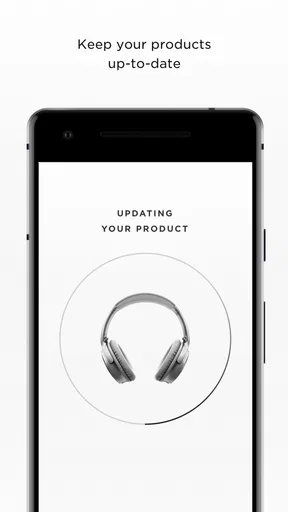
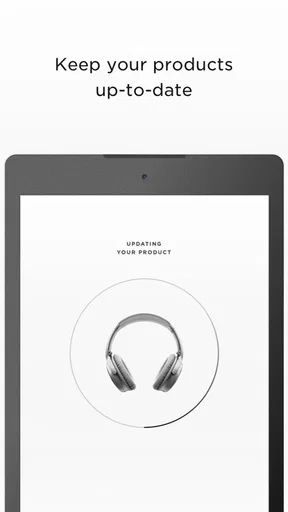
Another neat thing is the ability to update your firmware directly through the app. No more plugging into a computer or searching for updates online. The app keeps your headphones or speakers running smoothly with the latest features and bug fixes.
For long-term use, this maintenance role matters more than it sounds. Firmware updates are easy to overlook when everything appears to work, so I treat the app as a place to check when a device is behaving oddly or when I have time to keep it current. I would not make updates part of every listening session; I’d handle them when convenient, with the device charged and a stable connection, rather than interrupting a commute or workout. That turns upkeep into an occasional task instead of a daily chore.
Personalized Experience
This app is also about personalization. You can name your devices, which sounds trivial, but it’s super handy if you have multiple Bose products. Plus, the app lets you manage your connections and see which devices are connected at a glance.
Naming devices pays off in small moments: a label that describes where a speaker or headphones are usually used can make a crowded device list easier to scan. It is a better habit than guessing from similar product names when you are in a hurry. If you lend a device or move it to another room, though, remember that the name is just an organizational aid; it does not change how the hardware works.
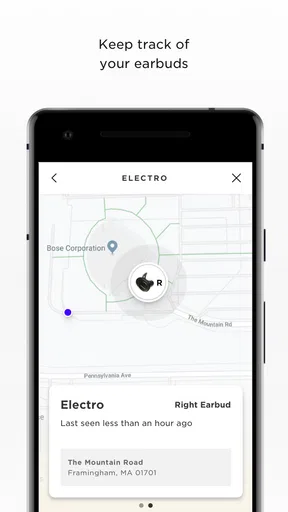
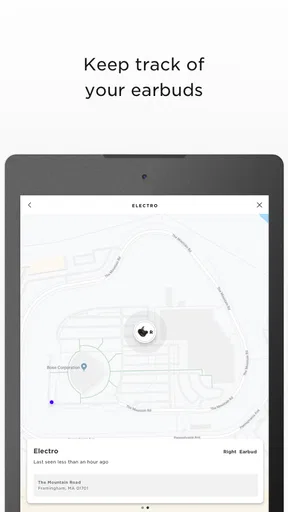
For those of us who are always losing stuff, the "Find My Buds" feature is a godsend. If you’re prone to misplacing your earbuds, this feature will help you track them down, saving you from a mini heart attack.
I would think of that as a recovery aid, not a guarantee that every lost earbud can be located in every circumstance. It is most useful when you have a rough idea of where you last used them and can check promptly. A sensible routine is to open the feature soon after noticing they are missing, rather than assuming it replaces putting them in the same case or pocket each time.
Sharing is Caring
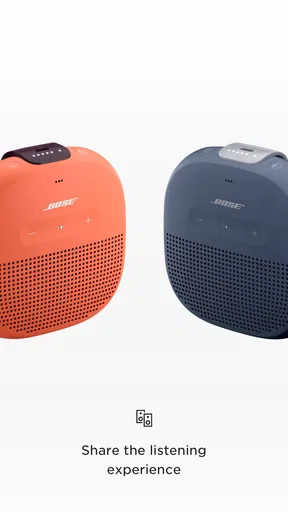
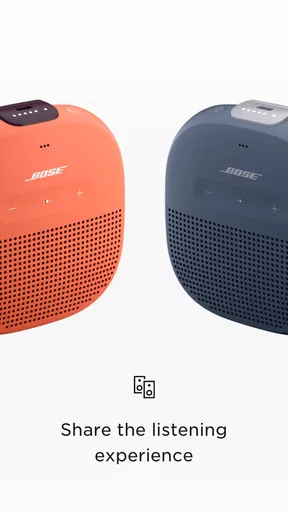
Now, if you’re in the mood to share your tunes, the Music Share feature is pretty sweet. You can connect two pairs of headphones to the same device and share the listening experience with a friend. Perfect for road trips or when you’re hanging out with someone and want to enjoy the same playlist.
This is a more purposeful use than simply handing someone one earbud: each person can listen on their own pair while the audio comes from the same source. I’d use it for a short shared playlist or a video during a trip, and then disconnect the second pair when you are finished so the next solo session starts cleanly. It is a useful extra for two listeners, but it is not a replacement for a room speaker when a whole group wants to hear the same thing.
Ease of Use
What I love the most is how intuitive the app is. The interface is clean and user-friendly. Even if you’re not tech-savvy, you’ll find navigating through it a breeze. The app doesn’t try to do too much, which is nice. It sticks to its core purpose and does it well.
And hey, it’s got a pretty slick design. It’s not cluttered, and the visuals are straightforward, making it easy to find what you need without any fuss.
Value after the novelty fades
For me, the app earns its place through repetition rather than discovery. If I adjust noise cancellation for a busy street, change sound settings for a different kind of listening, or move between paired devices often, those small conveniences can become part of a routine. If I use one Bose device in one predictable way, the novelty of browsing its controls may fade, and I may open the app only for setup or troubleshooting. That is not a flaw so much as a sign that its value depends on how often you need those controls.
The app is free, and Bose Corporation is the developer. It sits in the music and audio category, but its role is narrower than a streaming app: it supports the hardware experience rather than supplying entertainment. It has an average rating of 4.2 from around 265,000 ratings, with roughly 23,000 written reviews and over 10 million installs. Those figures suggest a well-established audience, though they do not tell me whether the features fit any particular person’s Bose setup.
It is rated for Everyone and was released on December 11, 2015. For someone deciding whether to keep it installed, the practical question is simpler than the history: do you reach for the Bose-specific controls often enough to prefer them over your phone’s regular Bluetooth settings? If yes, the app has an everyday role. If not, it can remain an occasional utility rather than something you need to open regularly.
Where friction can show up
The main trade-off is that a dedicated companion app is only helpful when you use compatible Bose products and want its particular controls. It adds one more app to maintain and remember, while basic playback still happens through your usual music or video app. If you switch between audio brands, a manufacturer-neutral Bluetooth workflow may feel simpler; Bose Connect is most compelling when your listening gear is already centered on Bose.
There can also be a gap between what the app offers and what a particular device supports. I would check the controls available for my own product rather than assume every feature applies to every Bose headphone or speaker. That matters especially if you are choosing the app for a specific setting or sharing feature: the app is a companion, not a way to add hardware capabilities that the device itself does not have.
Another source of fatigue is opening an app for a task that takes only a moment elsewhere. If you never change noise cancellation, do not switch between paired devices, and are happy with the sound as it is, visiting a separate control screen can feel unnecessary. In that case, I would not keep tapping through it out of obligation. Use it when it solves a real problem, and let your regular audio apps handle everything else.
Who will get the most from it
I would recommend it most to Bose owners who use headphones or speakers in varied settings, especially people who value quick access to device controls, want to personalize the sound, or share listening with another person. A commuter might appreciate changing noise cancellation between a loud journey and a quieter room. Someone with several Bose products may value clear names and a single place to inspect connections. A listener who simply presses play on one device and leaves the settings alone is less likely to notice lasting benefits.
I would also skip it if you do not own a compatible Bose product or if what you need is a cross-brand hub for all your audio equipment. The app’s purpose is specific, and that focus is useful only when it matches your gear. For general Bluetooth pairing, your phone’s settings are often the more direct option; for discovering and playing content, your preferred streaming service is the right tool.
Final Thoughts
So, should you download it? If you own any Bose products, I’d say absolutely. The Bose Connect app makes managing your devices a whole lot easier and more enjoyable. From sound customization to seamless device switching, it’s a handy tool that enhances your listening experience.
Whether you’re a music lover, a frequent traveler, or just someone who appreciates good tech, this app has something for you. So go ahead, give it a whirl, and see how it can simplify your audio life. You might just wonder how you ever did without it!
My long-term verdict
I would keep it installed if I regularly use the Bose-specific settings, move between devices, or rely on shared listening and device organization. Those are practical reasons that can continue to matter months after installation, not just during the first setup. If my habits are simpler, I would still regard it as a useful tool to reinstall or open when needed, rather than an essential daily app.
In short, this is a focused companion whose staying power depends on your routine. It is not trying to replace music services or the phone’s basic Bluetooth controls, and that is exactly why it can remain easy to understand. For a Bose listener who uses its extra controls, it earns a place; for everyone else, it is reasonable to leave it aside.
Pros
- Seamless pairing with Bose devices.
- Intuitive and user-friendly interface.
- Customizable sound settings.
- Firmware updates for devices.
- Supports multiple device connections.
Cons
- Limited to Bose products only.
- Some features need internet access.
- Occasional connectivity issues.
- Lacks equalizer for fine-tuning.
- Requires frequent app updates.
FAQs for Bose Connect
What is the primary function of the Bose Connect app?
The Bose Connect app is designed to enhance the functionality of Bose wireless products. It allows users to manage Bluetooth connections, update firmware, personalize settings, and access exclusive features such as music sharing and adjustable noise cancellation. It's a vital tool for maximizing the performance and usability of your Bose devices.
Is the Bose Connect app compatible with all Bose devices?
No, the Bose Connect app is not compatible with all Bose devices. It specifically supports certain Bluetooth-enabled models like the Bose SoundLink, Bose QuietComfort, and Bose Sport headphones. It's essential to check the compatibility list on the official Bose website to ensure your device is supported before downloading the app.
Can I use the Bose Connect app to control multiple devices simultaneously?
Yes, the Bose Connect app can manage multiple Bose devices, but you can only control one device at a time. The app allows you to easily switch between connected devices, making it convenient if you have multiple Bose products. However, simultaneous control or playback across multiple devices isn't supported.
Does the Bose Connect app require an internet connection to function?
While the Bose Connect app does not need a constant internet connection for basic functions like Bluetooth pairing and control, it does require internet access for initial setup, firmware updates, and accessing certain features. To fully utilize the app's capabilities, having periodic internet access is recommended.
How does the Bose Connect app enhance my listening experience?
The Bose Connect app enhances your listening experience by offering features like customizable sound settings, access to firmware updates, and the ability to manage multiple connections. It also provides features specific to certain models, such as noise cancellation adjustments and music sharing, enriching your overall interaction with Bose products.


